End-to-End AWS DevOps Project Architecture 🚀
Tech enthusiast | Code craftsman | DevOps explorer | Turning bugs into features one line at a time 🚀
You’ve learned about CI/CD, containers, IAM, VPC, monitoring, security, and cost optimization.
Now it’s time to connect everything into one complete DevOps architecture.
This blog shows how a real production-grade AWS DevOps system looks from start to finish.
Think of this as a blueprint you can implement as a portfolio project.
What Is an End-to-End DevOps Architecture?
It is a complete system that covers:
- Code → Build → Test → Scan → Package → Store → Deploy → Monitor → Secure → Scale
All automated.
This is what companies expect when they hire DevOps engineers.
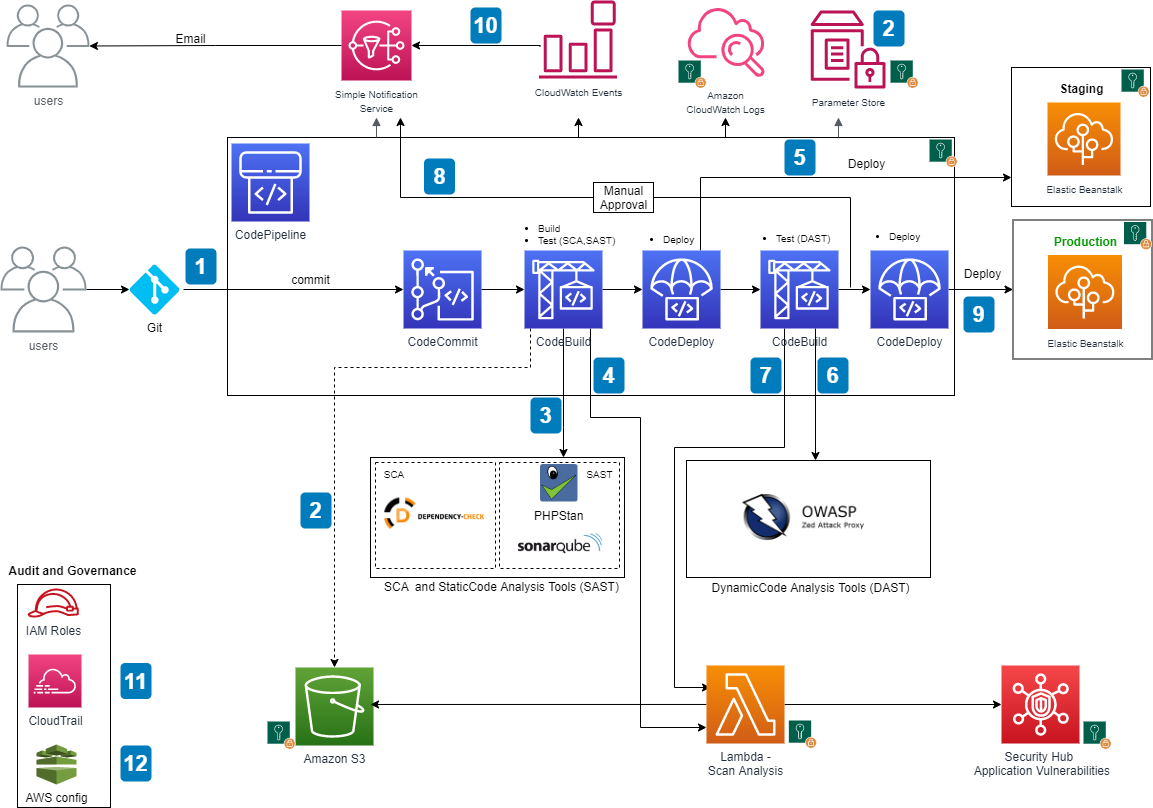
High-Level Architecture Flow
Developer pushes code to GitHub
CI/CD pipeline triggered
Code & security scans
Docker image built
Image pushed to registry
Deployed to container platform
Traffic routed via Load Balancer
Logs & metrics collected
Alerts & scaling applied
Let’s break it down layer by layer.
1️⃣ Source Control Layer
Tools:
- GitHub / GitLab
DevOps Responsibilities:
Branching strategy
Webhooks
Pull request checks
Outcome:
- Clean version control
2️⃣ CI/CD Layer
Tools:
- Jenkins / GitHub Actions
Pipeline Stages:
Checkout
Build
Test
Security Scan
Docker Build
Push Image
Deploy
Fully automated.
3️⃣ Build & Containerization Layer
Tools:
- Docker
Why containers:
Consistent environments
Easy scaling
Fast rollback
Image stored in:
- Amazon ECR
4️⃣ Infrastructure Layer (AWS)
Provisioned using:
- Terraform / CloudFormation
Creates:
VPC
Subnets
EC2 / ECS / EKS
Load Balancer
IAM Roles
Everything defined as code.
5️⃣ Container Orchestration Layer
Options:
Amazon ECS (simpler)
Amazon EKS (Kubernetes)
Handles:
Service scaling
Health checks
Rolling updates
6️⃣ Networking Layer
VPC
Public subnet → Load Balancer
Private subnet → Containers
Security Groups
NAT Gateway
Secure-by-design.
7️⃣ Security Layer (DevSecOps)
IAM Roles
Image scanning
WAF
Private subnets
Secrets Manager
Security embedded everywhere.
8️⃣ Monitoring & Logging Layer
CloudWatch metrics
CloudWatch logs
Alarms
SNS notifications
Provides observability.
9️⃣ Auto Scaling Layer
ECS Service Auto Scaling
EC2 Auto Scaling Groups
Responds to traffic.
1️⃣0️⃣ Cost Optimization Layer
Right sizing
Budgets
Auto stop/start
Lifecycle rules
Keeps cloud bill under control.
How This Looks in Practice
Example Flow:
Developer → GitHub → Jenkins
Jenkins → Build Docker Image
Jenkins → Push to ECR
Jenkins → Deploy to ECS
ALB → Routes traffic
CloudWatch → Monitors
Alarm → Auto scale
Everything automated.
Why This Architecture Is Powerful
Cloud-native
Scalable
Secure
Automated
Production-grade
This is not a demo.
This is real DevOps.


